
Can your YouTube video appear in Google Search?
Yes. A YouTube video can rank on Google, but Google visibility is separate from ranking inside YouTube. Getting a YouTube video to rank on Google starts with understanding that Google and YouTube use different discovery systems, and neither platform guarantees a position just because you optimize a video.
- Choose a topic people actually search for
- Match the video to the search intent
- Improve the watch page and any host page
- Make the video accessible with captions and clear metadata
- Check indexing and performance after publishing
YouTube SEO helps both platforms understand your content. Your video title, description, tags, captions, transcript, thumbnail, and on-page context all help explain what the video is about. Still, Google ranking is not about forcing a result. It is about giving Google a useful video and a page it can crawl, interpret, and trust as relevant for a query.
If you run a small or mid-size channel, this matters. You do not need millions of subscribers to rank on Google for the right topic. A local service business can rank a clear tutorial. A coach can rank a specific explainer. A product seller can rank a focused setup video. Broad topics are harder. Specific, useful topics are often more realistic.
Set expectations carefully. The goal is not to promise rankings. The goal is to publish a relevant video, align it with what the searcher wants, and remove technical barriers that stop Google from understanding the page. That is the practical side of helping videos rank on Google for creators and businesses with limited time and limited authority.

How To Get Your YouTube Video To Rank On Google Search by finding a real Google opportunity
Video keyword research means finding search terms where a video could genuinely help answer the query, then checking Google Search results before you make the video. That last step is where many creators go wrong. They see keyword search volume, assume the topic is good, then publish a video for a query where Google mostly prefers articles, product pages, or forum discussions.
Use Google Keyword Planner as one source for keyword search volume. It can help you estimate whether people search for a topic at all. But volume estimates do not tell you whether Google will show a video result. Whether YouTube videos rank on Google depends on validating the result type, not just collecting numbers from a tool.
Search your target phrase in Google and study the page. Ask a few simple questions:
- Does Google already show video results?
- Are the visible results mostly how-to videos, product reviews, tutorials, or step-by-step guides?
- Does the query look like a problem that is easier to solve visually?
- Are the current results too broad, outdated, or unclear?
That is how you validate a video opportunity. For example, a broad query like roof repair may lead to mixed results, while how to patch a leaking flat roof membrane is much more video-friendly because the searcher needs to see the steps. Helping YouTube videos rank on Google usually works better when the topic is narrow enough to answer one clear question for one audience.
Match search intent to the right format. If someone searches a process, make a tutorial. If they compare options, make a review. If they need instructions, make a step-by-step guide. If they search for a local solution, target a niche query such as how to winterize sprinkler lines in Denver instead of a vague phrase like sprinkler tips.
It also helps to separate Google ranking considerations from the YouTube algorithm. Google evaluates the usefulness of the result and whether the page is accessible and indexable. YouTube recommendations, suggested videos, and in-platform discovery also reflect viewer behavior on YouTube, including watch time, clicks, and retention. Both systems care about relevance, but they do not behave the same way.
If you want a practical workflow, use this one:
- List three to five specific video keywords around one service, product, or problem.
- Check keyword search volume in Google Keyword Planner.
- Search each phrase in Google and note whether videos appear.
- Choose the query where a video clearly fits the intent.
- Angle the topic for one audience, one question, and one outcome.
That is the part of video SEO that saves the most time. Pick a query Google already treats as video-friendly before you hit record.
How To Get Your YouTube Video To Rank On Google Search before publishing
Before you publish, tighten every piece of video metadata so the topic is obvious. Good metadata will not rescue a weak or unfocused video, but unclear metadata can absolutely limit a strong one. Helping videos rank on Google gets easier when your video titles, video descriptions, captions, and thumbnails all point to the same clear topic.
- Choose a clear title. Use the main video keyword naturally and describe the exact outcome. Example title: How to Replace a Kitchen Faucet Cartridge Without Calling a Plumber. This is stronger than Easy Plumbing Fix because it tells both the viewer and the platform what the video covers.
- Write a useful description. State what the viewer will learn near the beginning, then add supporting detail such as tools used, steps covered, who the video is for, and any important limitations. Avoid stuffing repeated keywords into a paragraph. A short, readable description is better than a bloated one.
- Add relevant tags. Tags can provide supporting context around misspellings, product names, or related terms, but they cannot compensate for an unclear topic.
- Use a small set of appropriate hashtags. Keep them closely related to the subject. They are supporting context, not a ranking shortcut.
- Select an informative custom thumbnail. A strong thumbnail can improve search-result clicks by making the promise easier to understand. Example thumbnail idea: a close-up of the faucet cartridge in one hand, the sink in the background, and a short text overlay that says Cartridge Replacement. That is clearer than a busy collage with tiny text.
- Add accurate captions and a transcript. Captions support accessibility, help viewers who watch with sound off, and clarify the spoken content. They can also reduce ambiguity when product names, technical terms, or local place names are easy to mishear.
- Set the upload date accurately and choose the right length. Treat upload date and video length as context, not universal ranking rules. A short answer can win if the query needs a quick fix. A longer walkthrough can win if the viewer needs every step.
Here is a simple description format you can adapt:
Example: Learn how to replace a kitchen faucet cartridge step by step. This video shows the tools you need, how to remove the handle, how to pull the old cartridge, and how to stop leaks when reinstalling the new one. If your faucet uses a different cartridge type, check the visible part number before ordering a replacement.
Keep all signals aligned. If the title says the viewer will solve one specific problem, the opening of the video should solve that problem quickly. That consistency matters for both viewers and platforms. Getting a YouTube video to rank on Google is often less about doing more and more about making your subject impossible to misunderstand.
One more point. If your business also has a site, match the YouTube video with a relevant supporting page when appropriate. That gives you a second surface where Google can understand the topic clearly. If you are unsure which elements are muddy, DigiSphere offers a free YouTube channel audit that can help you spot obvious metadata gaps without changing everything at once.
Done well, this pre-publish work improves clarity, accessibility, and click appeal. That is the foundation for helping YouTube videos rank on Google, not a trick after the fact.


How do watch time and audience response affect visibility?
Audience response matters, but no single metric guarantees placement in Google. View count, watch time, audience engagement, clicks, likes, and shares can all describe how people respond to a video. Video search visibility is not solved by chasing one number.
Start with the basic terms. Impressions are the times a thumbnail is shown to potential viewers on YouTube. CTR, or click-through rate, is the share of those impressions that turn into clicks. Retention shows how well the video keeps people watching after they click. A click only helps when the video actually delivers what the title and thumbnail promised.
Use YouTube Studio Analytics, especially the Reach tab, to review impressions, CTR, traffic sources, and viewer retention. If impressions are appearing but clicks are weak, look at title clarity and thumbnail communication first. If people leave early, compare your opening to the search intent. Did you answer the question right away, or did you spend the first seconds on branding, greetings, or background the viewer did not ask for?
This is also where the question How do you get your YouTube video at the top of the search? needs an honest answer. You cannot guarantee the top position. You can improve your odds by targeting a relevant query, making the video genuinely useful, keeping the page accessible to Google, and reviewing results in Search Console and YouTube Studio after publishing. That is a process, not a promise.
Earn response signals the clean way. Share the video where the audience already cares about the problem you solved, such as your email list, blog, product help page, or customer support follow-up. Do not buy views, likes, subscribers, or comments. Artificial activity can distort your data, attract low-quality traffic, and create the illusion that the video works when it does not. Helping videos rank on Google depends on relevance and usefulness, not fake momentum.

What does Google need to index a video?
Google needs three basics to index a video properly: a crawlable watch page, an accessible video player, and a page that is indexable rather than blocked or marked in a way that prevents indexing. If one of those pieces fails, metadata alone will not save the result. Indexing depends on access before it depends on polish.
A YouTube watch page and a page on your own site that embeds the same video are distinct pages. Google may understand both, but they are not interchangeable. Decide which page you want Google to show more prominently and avoid confusing signals such as unclear canonicals. If your site page should stand on its own, give it a clear canonical URL and supporting text that explains the video, not just an empty embed.
For a website-hosted or embedded video, build the page so it is useful even without pressing play. Add explanatory text, a short summary of the steps covered, related internal links, and context about who the video is for. For example, if you embed a video called How to Clean a Tankless Water Heater Filter, the page should also explain the tool list, warning signs, and service intervals in visible text. That gives Google more context and gives the reader value if the player does not load immediately.
Check for obvious blockers:
- Blocked indexing from page settings or directives
- Player access problems that prevent Google from reaching or rendering the video
- Conflicting canonical URLs that point Google elsewhere
- Thin embed pages with almost no original explanatory content
- Restricted resources that stop the page from loading properly
This also answers a common question: How do I get my YouTube video on Google search? Publish a relevant video, provide an accessible watch page, use accurate video information, and make sure the page can be crawled and indexed. Then check the page and any video indexing issues in Google Search Console. Inclusion and placement are never guaranteed.
Keep metadata accurate too. Video length, upload date, thumbnail, and description should describe the content honestly. But remember the order of operations. If Google cannot crawl or index the page, perfect metadata changes nothing. Getting a YouTube video to rank on Google becomes much easier when the technical path is clean from the start.

How can structured data and a video sitemap help?
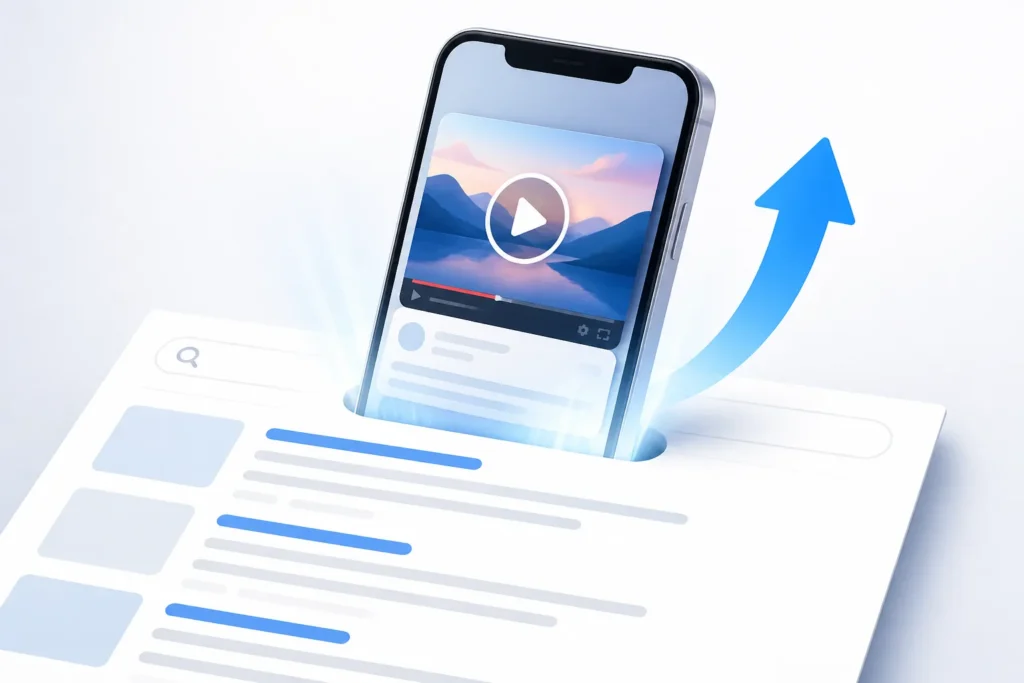
VideoObject structured data helps describe a video on a web page. It is not a guarantee of a rich result or a higher position, but it gives Google clearer signals about what the page contains. Ranking your YouTube video on Google often improves when the page and its machine-readable details match each other cleanly.
Useful VideoObject properties include the name, description, thumbnail URL, upload date, and either the content URL or embed URL, depending on how the video is presented. Each value should match the visible page and the actual video. If the structured data says one thing and the page says another, you create ambiguity instead of clarity.
A video sitemap can help Google discover video pages, especially when your site has multiple embedded or hosted videos. This is useful for brands, local businesses, agencies, and creators who publish tutorial libraries or product explainers across many pages. Keep sitemap entries consistent with the page content and the visible video metadata.
Use this implementation order:
- Make the page crawlable and indexable.
- Add accurate VideoObject data that matches the page.
- Include eligible pages in the video sitemap.
- Inspect and validate those pages in Google Search Console.
If Google cannot access the page or player, structured data will not fix the underlying problem. If the page is accessible but vague, structured data can help sharpen the context. That is the right way to think about it. Helping videos rank on Google is about reinforcing a clear result, not decorating a broken page with extra code.
For many small channels, this step matters most when the video is embedded on a business site. For YouTube-only creators, the YouTube watch page may be the main surface. For businesses with their own site, a clean page plus accurate VideoObject details can make Google’s job easier.
How do you check whether Google can find your video?
Use Google Search Console to inspect the relevant URL and check whether it is indexed, accessible, and eligible for video visibility. An indexed page still does not guarantee a video result, but it tells you whether Google can at least process the page. Video indexing requires this check because assumptions waste time.
When the expected video does not appear, review the essentials one by one:
- Inspect the page URL in Search Console
- Confirm the canonical URL is the one you intended
- Check whether the player is accessible
- Review any structured data issues
- Verify the sitemap status if you submitted video pages
- Look for access restrictions or indexing blockers
Separate Google Search performance from YouTube performance. Use Search Console for eligible website pages and Google Search visibility. Use YouTube Studio Analytics for YouTube impressions, clicks, traffic sources, watch behavior, and retention. The two tools answer different questions. One tells you whether Google can find and process the page. The other tells you how viewers behave once YouTube shows the video.
A practical review cycle works better than constant random edits. First, confirm the page is indexable. Next, check for video-related issues. Then update inaccurate metadata such as a weak title, unclear description, or mismatched thumbnail. After that, give Google time to process the changes before judging the result. Helping YouTube videos rank on Google usually improves through measured revisions, not daily resets.
If your page is indexed, the player works, the metadata is accurate, and the topic truly matches a video-friendly query, you have done the core technical work. From there, the next gains usually come from better intent matching, clearer packaging, and stronger viewer satisfaction rather than more tags or cosmetic edits.

What should you do next to improve Google visibility?
Start with the highest-impact sequence. Validate a video-friendly query. Make a focused video that answers that query clearly. Improve the title, description, thumbnail, captions, and transcript. Check the watch page, host page, and indexing status after publishing. That is the practical answer to getting your YouTube video to rank on Google.
If you are wondering how to rank videos in Google search, keep the answer simple. Validate that Google actually shows video results for the query, satisfy the intent better than the current options, optimize the video and the host page, and fix technical indexing issues. Google Search and YouTube have different discovery systems, so no checklist guarantees a ranking. The job is to align relevance, accessibility, and viewer satisfaction.
Do not change everything at once. Use YouTube Studio Analytics and Search Console to find the next bottleneck. If Search Console shows access or indexing issues, fix those first. If YouTube shows impressions but weak CTR, work on the title and thumbnail. If clicks are fine but viewers leave early, improve the opening and answer the question sooner. Helping videos rank on Google gets clearer when each change solves one visible problem.
Monetization is separate from ranking. Through January 31, 2027, full YouTube Partner Program ad revenue sharing requires 1,000 subscribers plus either 4,000 public watch hours in the past months or 10 million public Shorts views in the past days. From February 1, 2027, new applicants need 1,000 subscribers plus either 8,000 watch hours or 20 million Shorts views in those same periods. Channels already in YPP keep their status. Shorts feed views do not count toward watch hours. The fan funding and Shopping tier remains at 500 subscribers plus either 3,000 watch hours or 3 million Shorts views.
If you use Shorts, remember the current policy context. Since October 1, 2026, the Shorts feed gives less reach to re-uploaded content without meaningful changes. Since August 24, 2026, public Shorts view counts start from the first frame, while earnings and YPP eligibility still use engaged views. And if you have ever asked, How many views do I need to make $10,000 a month on YouTube? there is no fixed target. Earnings vary with RPM, which is revenue per mille or revenue per 1,000 views, plus audience, content type, monetization eligibility, and other revenue sources.
DigiSphere is a YouTube growth agency led by Michael, a Fiverr Top Rated Seller, with 15+ years in digital marketing, 10,000+ completed orders, 5,000+ five-star reviews, and 6,000+ YouTube creators optimized. Services include YouTube Video SEO, Social Media Ring video sharing, backlinks, Google Ads video promotion, thumbnail design, and Shorts creation. Those services can support discovery and packaging, but they should never be framed as a guarantee of Google rankings or as shortcuts around platform rules.
The next move is straightforward. Pick one query, publish one useful video around it, and verify that Google can actually access the page. If you want a second set of eyes, you can request a free YouTube channel audit at digispheresl.com. It is a simple way to spot the next improvement without guessing or overhauling your whole channel.

Key Takeaways
- Pick a query that Google already treats as video-friendly before you create the video.
- Match the format to the intent with a focused tutorial, review, or step-by-step answer.
- Use clear titles, descriptions, thumbnails, captions, and transcripts to make the topic easy to understand.
- Make sure the watch page or embedded page is crawlable, indexable, and technically accessible to Google.
- Use Search Console and YouTube Studio to diagnose the next bottleneck instead of changing everything at once.
- Whether your videos rank on Google depends on clear titles, descriptions, and pages Google can index, so check each one before you publish.
- To rank on Google, pick a query that already shows video results, then match your title, description, and chapters to that intent.
Frequently Asked Questions
How do you get your YouTube video at the top of the search?
You cannot guarantee the top position in YouTube or Google Search. Your best chance is to target a relevant query, make the video highly useful for that query, package it clearly with a strong title and thumbnail, and review performance in YouTube Studio and Google Search Console.
How many views do I need to make $10,000 a month on YouTube?
There is no fixed view count that guarantees $10,000 a month. Earnings depend on RPM, audience location, content type, monetization eligibility, advertiser demand, and whether your revenue also comes from sources like sponsors, affiliate offers, or products.
How do I get my YouTube video on Google search?
Create a video that matches a video-friendly Google query, then make sure the watch page or embedded page is accessible, crawlable, and accurately described. After publishing, check Google Search Console for indexing, canonical, structured data, or video-related issues.
How to rank videos in Google search?
Start by validating that Google already shows video results for the topic. Then match the search intent with the right format, improve the video metadata and page context, and fix any technical indexing problems so Google can process the page correctly.
Do tags and hashtags help YouTube videos rank on Google?
They can add small supporting context, especially for related terms, product names, or common misspellings. They will not overcome a weak topic, poor page accessibility, or a video that does not satisfy the search intent.


 English
 Español
 Deutsch
 Français
 Italiano
 العربية